Getting started
Sign in, start your 60-day free trial, connect your socials, and set a posting goal.
Finding your way around
Dashboard, Clients, Posts, Settings — and Salon for owners. What each tab is for.
Clients & visits
Keep records, color formulas, and before/after photos for every client visit.
Creating posts
AI captions and hashtags, trending music, and one-tap publishing to 5 platforms.
Templates & services
Save reusable post templates and customize the service types you offer.
Dashboard & analytics
Track activity, engagement, follower growth, comments, and your posting streak.
Salon teams
For owners: invite stylists and see your whole team's performance in one place.
Subscription & billing
Free vs Pro, your 60-day trial, and how to cancel, resume, or update payment.
Account & security
Social accounts, notifications, Face ID lock, appearance, support, and deletion.
What is ManeFeed?
ManeFeed is the app for salon stylists that keeps your client records, color formulas, and per-visit photos in one place — then turns your work into social content. It writes captions and hashtags with AI and publishes to TikTok, Instagram, Facebook, Pinterest, and YouTube in a single tap, so you hit your salon's posting quota without the busywork.
Client management and record-keeping are free, forever. Posting, AI generation, and analytics are part of ManeFeed Pro — and every stylist gets a 60-day free trial of Pro with no credit card required.
Getting started
Download ManeFeed and open it. On the welcome screen, tap Continue with Apple or Continue with Google — there's no separate password to create or remember. Tap Get Started to set up your account.
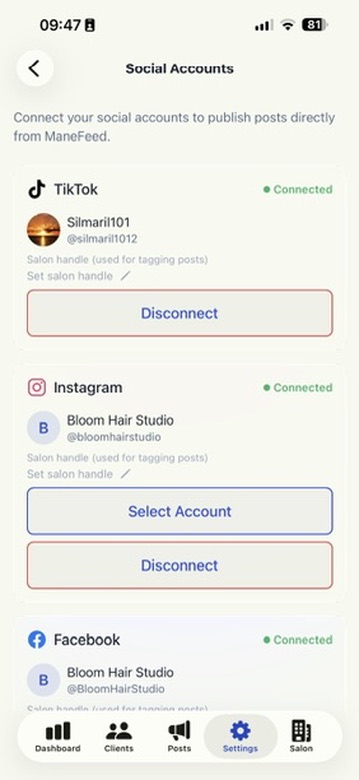
Next you'll see Connect your socials. Link the platforms you post to so ManeFeed can publish on your behalf — you can connect them now or skip and do it later from Settings → Social Accounts. Your 60-day free trial of Pro starts automatically the moment you sign up, giving you full access to posting and AI.
Finally, set a posting target (weekly or monthly) from the Dashboard so the app can track your progress and streak. That's it — you're ready to log your first client and create your first post.
Finding your way around
ManeFeed is organized into tabs along the bottom of the screen. Salon owners also get a Salon tab.
Dashboard
Your home base: stats, posting-target ring and streak, activity and engagement charts, follower growth, and a shortcut to all your comments.
Clients
Every client and their full visit history — color formulas, notes, prices, and before/after photos.
Posts
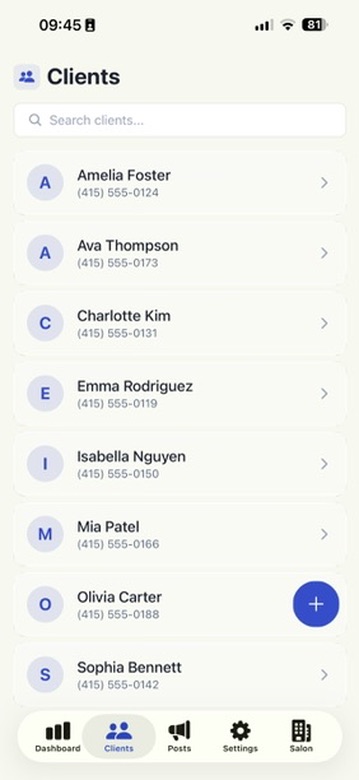
Create new posts, schedule them, and track each one's status and engagement after it goes live.
Settings
Your subscription, social accounts, post templates, service types, appearance, security, and support.
Salon
For salon owners and managers — a central dashboard of the whole team's posting and engagement.
Clients & visits
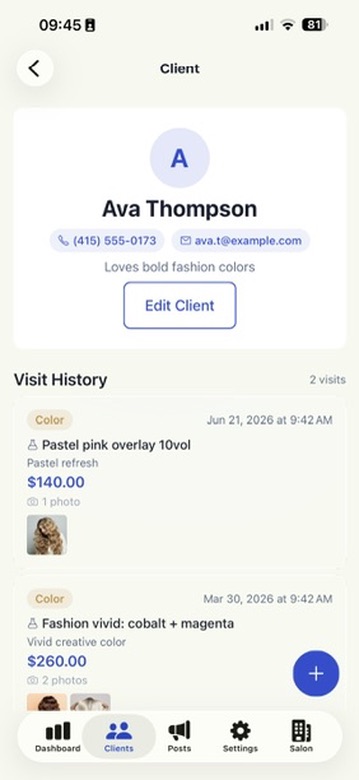
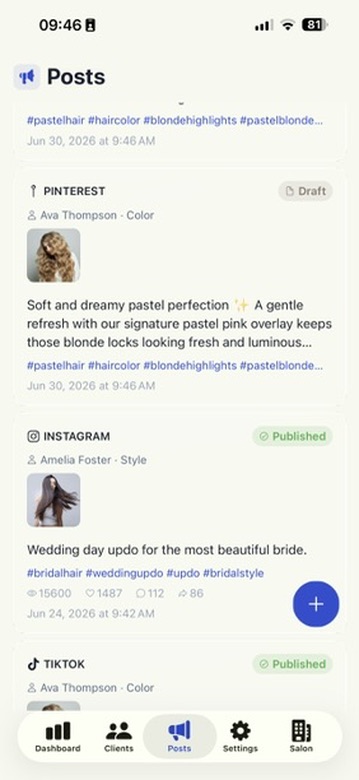
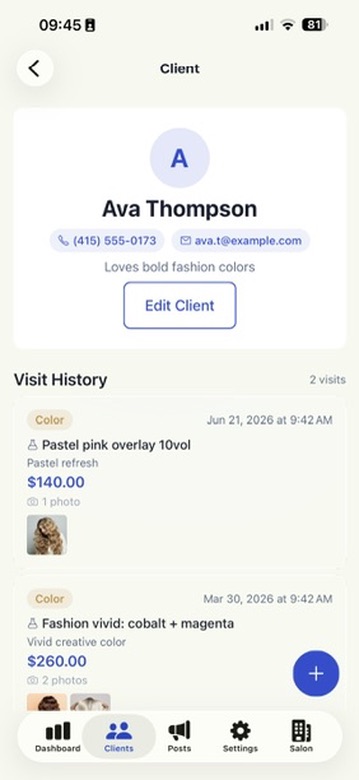
Open the Clients tab and tap the + button to add a client. Fill in their Full name, and optionally a Phone number, Email address, and notes for preferences or allergies, then tap Save Client. Use Search clients… at the top to find anyone fast.
Logging a visit
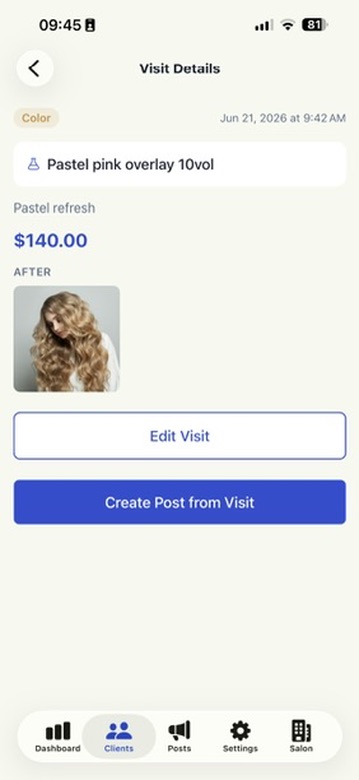
Open a client and tap Add Visit. Choose the service type (Color, Cut, Style, Treatment, or your own), record the exact color formula — for example "7N + 8G 1:1 ratio, 20vol" — add visit notes and the price, and snap before and after photos right from the app. Tap Save Visit and it's attached to that client forever, so you never have to guess a returning client's formula again.
Creating & publishing posts
From the Posts tab, start a new post. You can build it from a client's visit photos or upload images directly — no visit required.
AI captions & hashtags
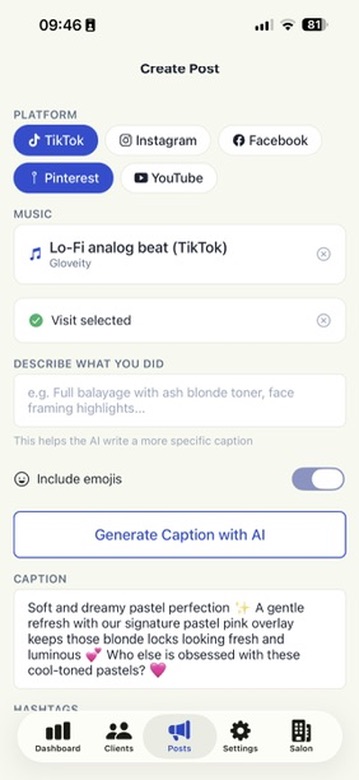
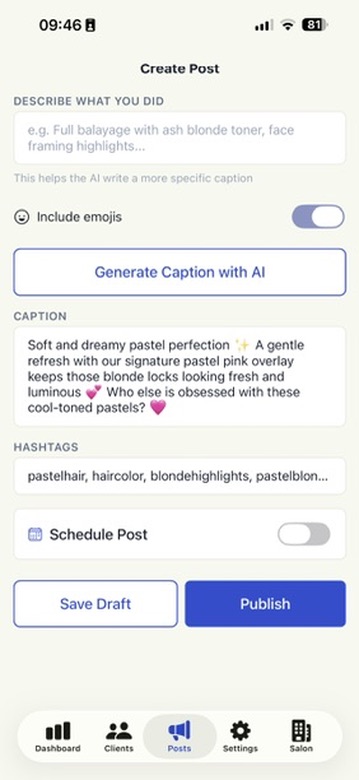
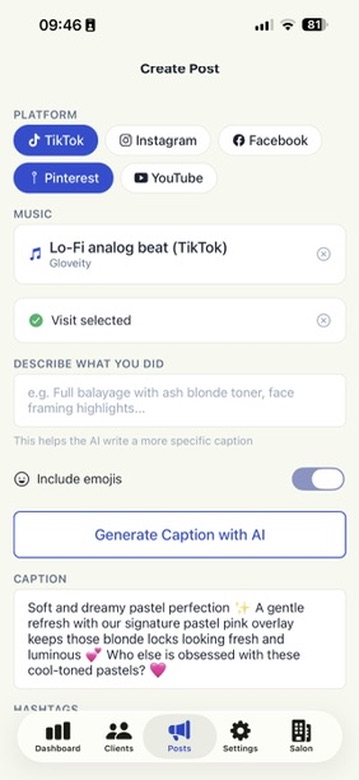
Tap Generate Caption with AI and ManeFeed writes a ready-to-post caption and relevant hashtags, tuned to the service and the platform's style. Edit it, regenerate, or write your own in the caption field. Client names are never sent to the AI — your relationships stay private.
Music & platforms
Add a trending sound with Music for your TikTok and Instagram videos, then pick which connected platforms to post to. Publish immediately or schedule it for later — one tap sends it to every account you've selected.
Templates & service types
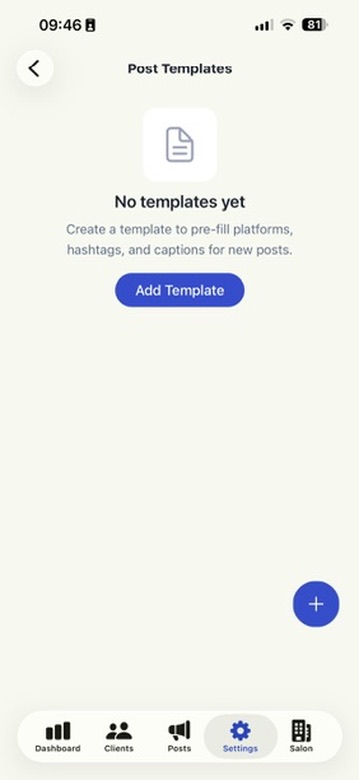
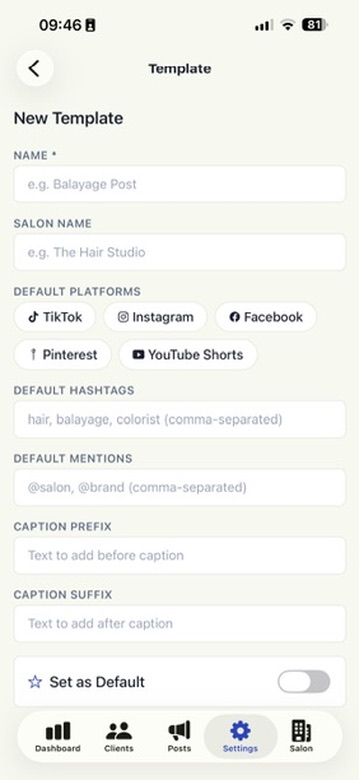
In Settings → Post Templates, save reusable defaults — your salon name, go-to hashtags, default mentions, and the platforms you usually post to — so every new post starts pre-filled. Set one as your default and it's applied automatically.
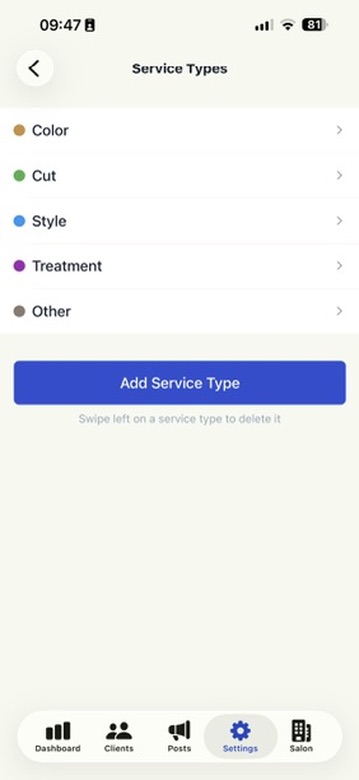
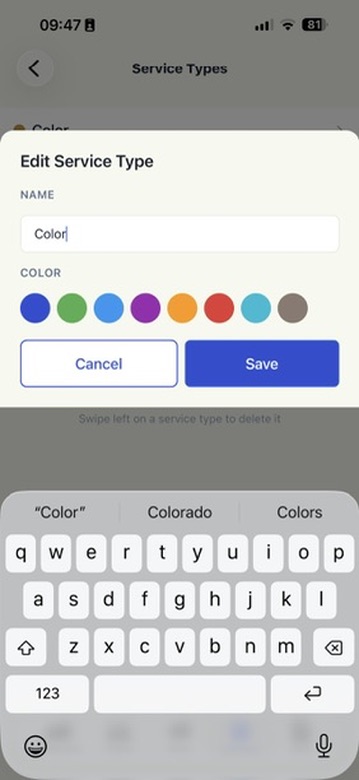
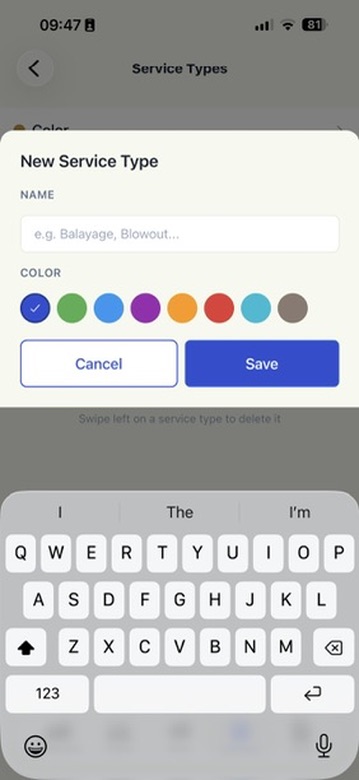
In Settings → Service Types, customize the list of services you offer (Color, Cut, Style, Treatment, and any of your own). These are what you pick from when logging a visit, and they power the breakdowns in your analytics.
Dashboard & analytics
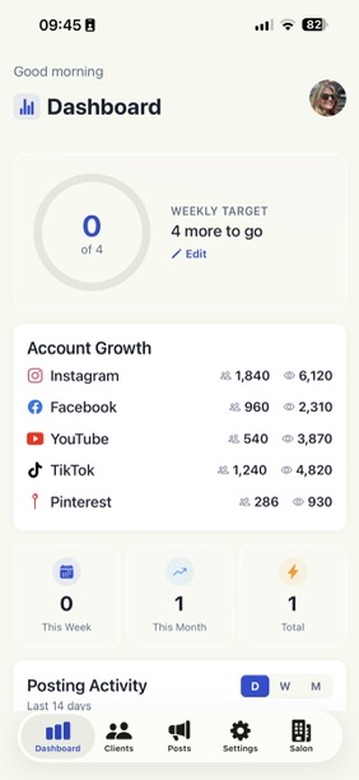
The Dashboard turns your posting into clear, real-time numbers:
Target & streak
A progress ring toward your weekly or monthly posting goal, with a streak that grows as you stay consistent.
Activity & engagement
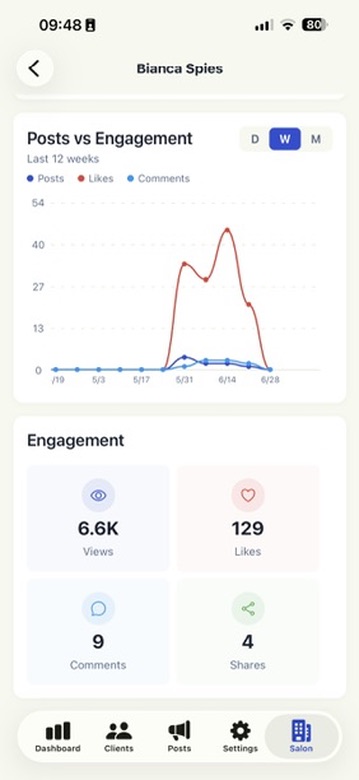
Posting Activity and Posts-vs-Engagement charts showing impressions, likes, and comments over time.
Account growth
Followers, following, and profile views for each connected platform, updated automatically.
Top hashtags
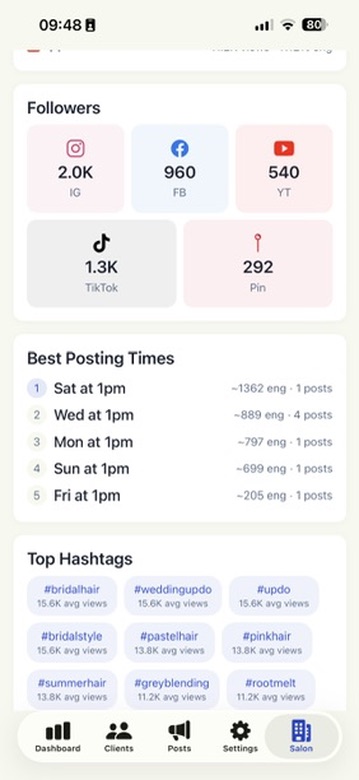
The hashtags pulling the most views across your posts, so you can lean into what works.
Comments
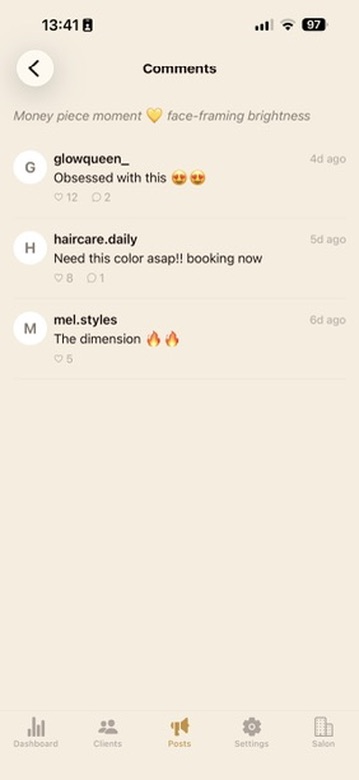
Tap View all comments on the Dashboard to read every comment across your posts in one feed, or open any individual post to see and track the comments it's received.
Salon teams (for owners)
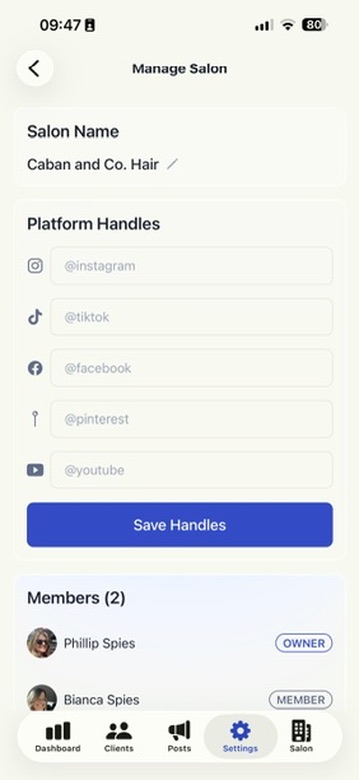
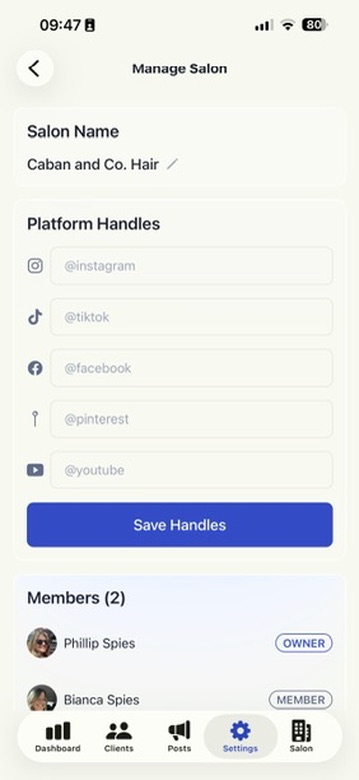
If you run a salon, open Settings → Create Salon to set up your team. Add your salon's handles for each platform so they appear on every stylist's post automatically.
Inviting stylists
From Manage Salon, send each stylist an invite link by text. They tap it to join instantly — no codes to type, no accounts to create.
Your command center
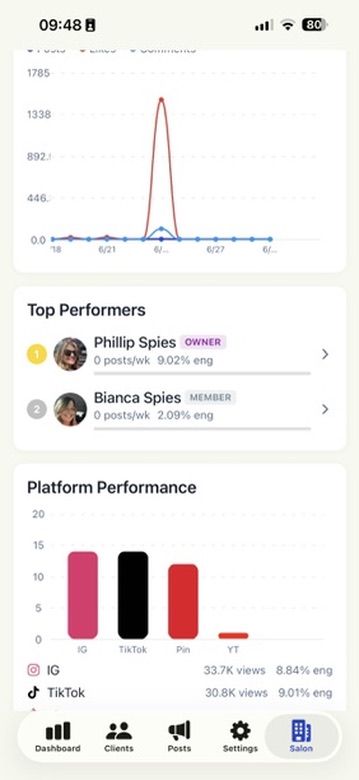
The Salon tab rolls every stylist's performance into one dashboard: team-wide engagement, a per-stylist leaderboard, account growth, platform breakdown, and top hashtags — so you see the whole picture at a glance. Salon owners don't need a paid subscription unless they post themselves; team management and dashboards are free.
Subscription & billing
Free includes unlimited client records, color-formula tracking, before/after photos, visit history, custom service types, and joining a salon team. ManeFeed Pro adds AI captions & hashtags, posting and scheduling to all 5 platforms, trending music, templates, and the full analytics dashboard.
Every stylist gets a 60-day free trial of Pro — full access, no credit card required. After the trial, Pro is $25/month. We'll remind you before the trial or subscription ends, and a short grace period means access is never cut off abruptly.
Managing your subscription
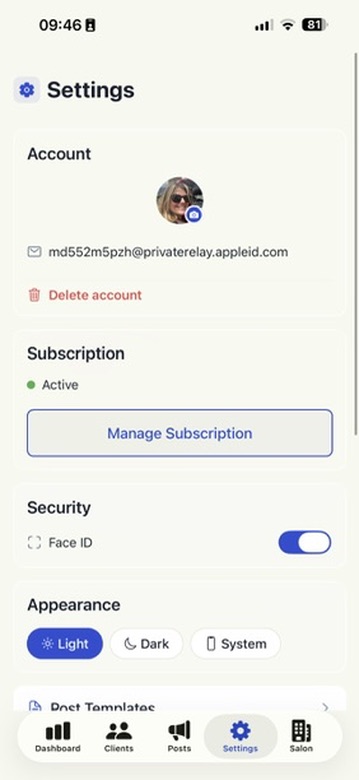
Go to Settings → Manage Subscription to see your status and renewal date. From there you can Cancel (you keep access through the period you've already paid for, plus a grace window), Resume a cancelled plan, Subscribe, or update your payment method. Billing is handled securely on our website by Stripe.
Account & security
Social accounts
In Settings → Social Accounts, tap Connect to link a platform or Disconnect to remove one. You can also set the location tag and Pinterest board used on your posts.
Notifications
ManeFeed sends push notifications when a post publishes, when you hit your posting target, when new comments come in, and before your trial or subscription ends.
App lock & appearance
Enable Face ID / biometric unlock in Settings to keep your client records private, and switch between light and dark appearance to suit your salon.
Support & account deletion
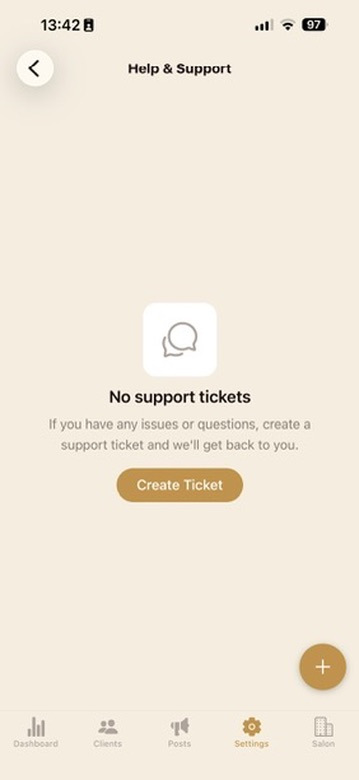
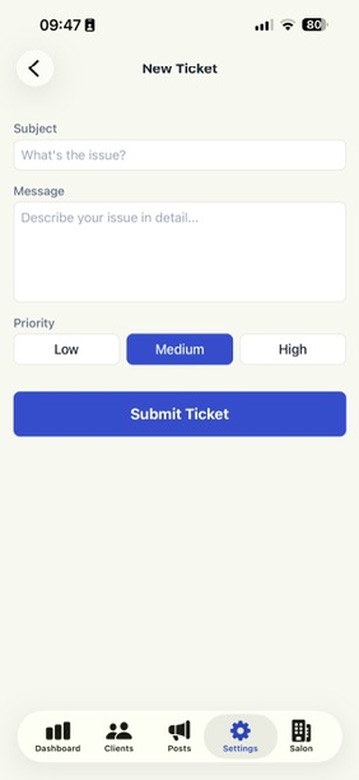
Need a hand? Open Settings → Help & Support to start a support ticket, or visit our Support page. You can delete your account and all associated data at any time from Delete Account.
Still stuck? Contact support and we'll get back to you.